On this page13 sections
- What does on-premise AI mean?
- Where should your AI run? Three questions
- Which open models can a business run on its own hardware?
- How much memory does a model need?
- What does on-premise AI hardware cost in November 2026?
- Which software runs the model?
- Is on-premise AI cheaper than the cloud?
- How many companies are moving AI in-house?
- What are the costs people forget?
- What about private cloud and hosted options instead?
- What do the rules say in the EU, the US and Canada?
- How do you test in 30 days before you buy?
- Questions people ask
"We want our own AI, on our own hardware" is a common request, and sometimes it is the right call. This guide is built like a shopping and decision pack instead of an essay: what on-premise means, which open models you can run, three example builds with current prices, the break-even maths, the costs people forget, and a 30-day plan that lets you test before you spend.
One warning first. Hardware prices are moving fast. Memory shortages pushed several prices up sharply through 2026, so treat every figure here as a November 2026 snapshot and re-check before buying.
What does on-premise AI mean?
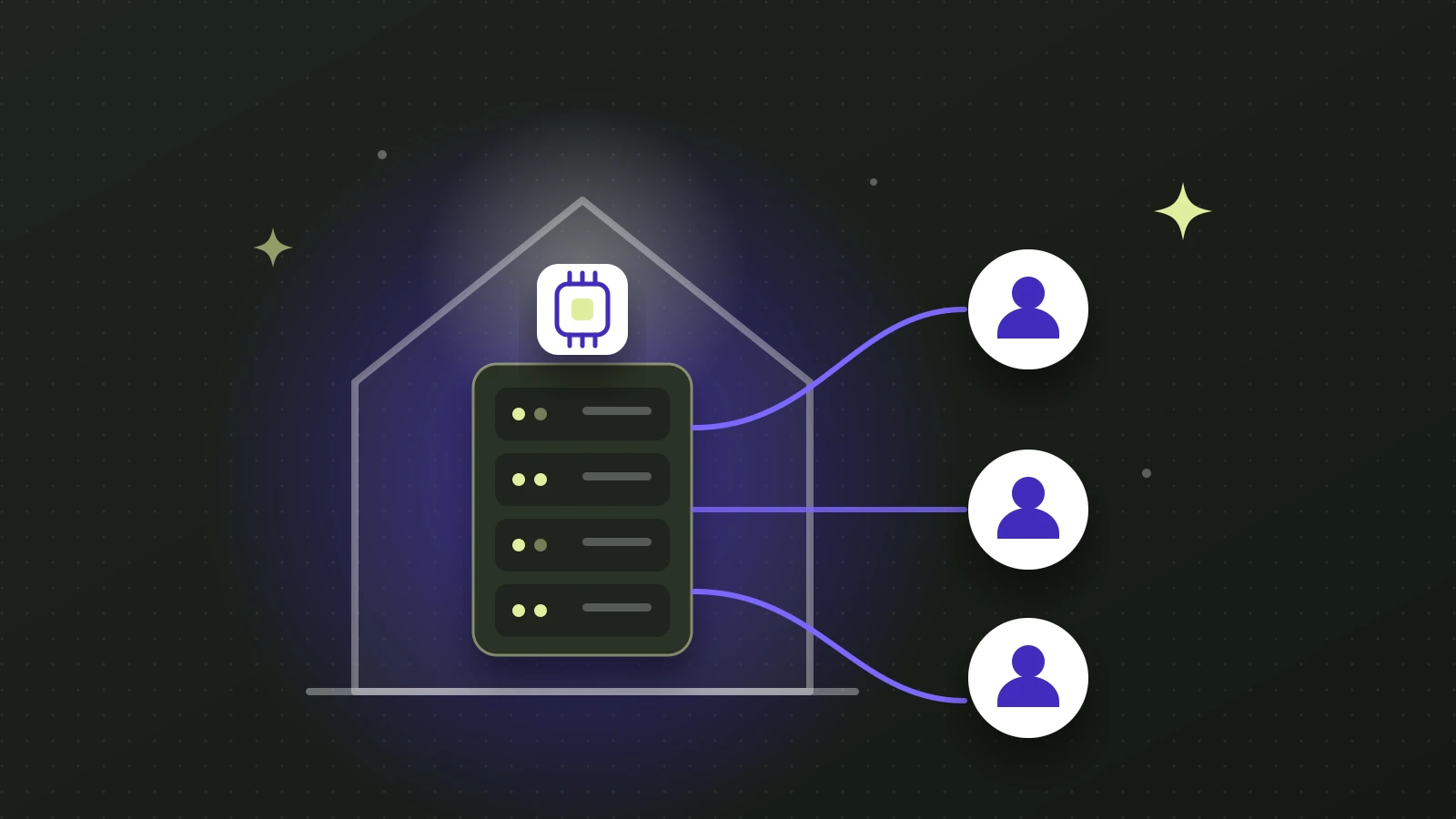
On-premise AI (also written on-premises) runs the model on servers or workstations that you own, in your building, a colocation rack or your own data centre. Nothing goes to an outside AI vendor. It is one point on the private AI scale. Our guide to what private AI is covers the full range, from business plans to private cloud to on-premise.
Three terms people mix up:
- Private LLM: a language model you control. It can run on-premise or in your own cloud account.
- Private GPT: an informal name for a ChatGPT-style assistant that answers from your own documents.
- Self-hosted or local LLM: an open-weight model you run yourself, whether on a laptop, a workstation or a server.
Where should your AI run? Three questions
The order matters: law and contract first, usage second, hardware last. If nothing forces data onto your premises, a private cloud in your region is almost always faster and cheaper to start.
Which open models can a business run on its own hardware?
Open-weight models changed fast through 2026. These are the main families with licences that allow commercial use, checked on the vendors' own pages in November 2026. Always read the licence for your own case.
| Model family | Sizes (total / active) | Licence | Notes |
|---|---|---|---|
| OpenAI gpt-oss (Aug 2025) | 117B / 5.1B and 21B / 3.6B | Apache 2.0, plus usage policy | OpenAI says the larger fits in 80 GB and the smaller in 16 GB |
| Alibaba Qwen3.8 (Aug 2026) | 27B dense, plus a much larger flagship | Apache 2.0 for the 27B | 262K-token context. The flagship has a custom licence we could not read |
| Google Gemma 4 (Apr 2026) | E2B, E4B, 12B, 26B, 31B | Apache 2.0 | The first Gemma under Apache. Small enough for a single machine |
| Mistral Small 4 (Mar 2026) | 119B / 6B | Apache 2.0 | "Small" in name only: Mistral lists 4 H100 GPUs as the minimum |
| Mistral Large 4 (Oct 2026) | about 1T / 52B | Modified MIT | Commercial use allowed. Running it as a service for others needs a separate licence |
| DeepSeek V4 (Apr 2026) | up to 1.6T / 49B | MIT | Very large models need multi-GPU servers |
| NVIDIA Nemotron 3 (2026) | 120B / 12B and 550B / 55B | Two different licences | Check which one applies to the model you pick |
| Meta Llama 4 (2025) | Scout, Maverick | Meta community licence | Still downloadable, but Meta's newest models are proprietary or have limited terms. The multimodal rights are not granted to EU-based companies |
| Thinking Machines Inkling 2 Mini (Nov 2026) | 26.4B / 3.4B | Apache 2.0, plus acceptable use policy | About a 20 GB download. Runs on an Apple silicon Mac with 32 GB or one DGX Spark, and is built for agent work. See running AI agents on your own hardware |
"Total / active" matters for mixture-of-experts models: only the active part does the work for each word, but all the parameters must be loaded into memory.
One security note. In October 2026 Cohere, a competitor of the model's maker, reported rare unwanted outbound network behaviour in a preview of a Qwen model during sandbox testing. Whatever you choose, treat any model as untrusted software: block outbound internet from the machine that runs it by default.
How much memory does a model need?
Memory decides what you can run. These rules come from NVIDIA's and Google's own published figures.
| Rule | What it means |
|---|---|
| Weights | About 2 GB per billion parameters at 16-bit, 1 GB at 8-bit, 0.5 GB at 4-bit (NVIDIA's worked example is 7B at 16-bit equals 14 GB) |
| Real example | Google's Gemma 4 31B figures, which include about 20% overhead: 69.9 GB at 16-bit, 34.9 GB at 8-bit, 17.5 GB at 4-bit |
| Mixture-of-experts | Load everything: Gemma 4 26B-A4B needs 57.7 GB at 16-bit even though only 4B parameters are active |
| Context | Long conversations need extra memory. NVIDIA says one user with a 128K-token context on a 70B-class model uses about 40 GB |
So a 4-bit 30B-class model fits in a laptop-class 24 GB, a 120B model needs about 80 GB, and anything near a trillion parameters needs a multi-GPU server.
What does on-premise AI hardware cost in November 2026?
Here are three example builds. Prices are US dollars from vendor pages, news reports and resellers, as seen in November 2026. They are volatile, and CAD and EUR prices were not consistently available, so we have not converted them.
| Build | Example hardware | Listed price | What it runs |
|---|---|---|---|
| Starter: one person or a small pilot | Apple Mac Studio, M5 Max, up to 128 GB | From $2,499. The 128 GB option adds $2,000 | Models up to about 100B parameters at 4-bit |
| NVIDIA DGX Spark, 128 GB | $6,950 on NVIDIA's store, up from $3,999 at launch, shown out of stock | Same class. A 64 GB version is $4,999 via partners | |
| Framework Desktop, 128 GB | $3,449, up from $1,999 at launch | Same class. A 192 GB version is $6,799 | |
| Team: a department sharing one GPU | NVIDIA RTX PRO 6000 Blackwell, 96 GB | $16,000 for the card on NVIDIA's US marketplace in August 2026, up from about $8,500 at launch | gpt-oss-120b and similar. You also need the rest of the machine |
| Group: several departments | Four RTX PRO 6000 in one server, 384 GB total | About $117,000 to $152,000 depending on configuration (resellers, October to November 2026) | Large models, many concurrent users |
| Frontier-class | 8-GPU H200 or B200 server | Roughly $340,000 to $470,000 (indicative, no NVIDIA list price) | The very largest open models |
Some notes on the table:
- The Apple Mac Studio also comes in an M5 Ultra from $5,499 with up to 512 GB. The 512 GB configuration is $22,299, according to published reports.
- The consumer RTX 5090 has a $1,999 list price and 32 GB, but street prices in November 2026 started above $6,000 at Newegg, about three times list.
- European buyers: one reseller lists 128 GB GB10-class systems at about €5,000 to €8,100 before VAT.
- Memory-driven price rises are the reason. Framework itself said it expects memory prices to keep rising for months.
How many people can one machine serve?
A published benchmark by an independent site (Millstone AI, January 2026) ran gpt-oss-120b on one RTX PRO 6000 with vLLM. A single user got about 181 tokens per second. With about five users chatting at once at a 32K-token context, each still got a first word in under 8 seconds and over 15 tokens per second. Peak power draw was 530 W.
The lesson: a single card handles single-digit simultaneous chats at long context. Because most staff are idle most of the time, it can serve a larger team than that, but test with your own usage. A four-card server measured about 3,956 tokens per second in total on gpt-oss-120b, according to StorageReview as cited by a reseller.
Which software runs the model?
| Tool | What it is | Best for |
|---|---|---|
| vLLM | Production serving library with continuous batching and an OpenAI-compatible API | Many simultaneous users on GPUs |
| llama.cpp | Lightweight engine with a built-in server, runs on Mac, CPU and mixed hardware | One machine and small teams |
| Ollama | Easiest way to run open models locally, with a REST API | Single users and small teams. Default concurrency is low |
| LM Studio | Desktop app with a headless server mode | Evaluation and small internal use. Check its current terms |
To build a "private GPT" on top, you add a chat interface, retrieval over your documents, sign-in with permissions and logging. Our post on whether you can train AI on your company data explains why retrieval, not training, is usually the right approach.
Is on-premise AI cheaper than the cloud?
Usually not at low volume. Here is the arithmetic, using list prices.
A hosting company, MassiveGrid, lists a dedicated server with one 96 GB RTX PRO 6000 at $1,656.15 per month. Anthropic's Sonnet 5.5 is priced at $2 per million input tokens and $10 per million output tokens. If we assume three input tokens for every output token, the blended price is $4 per million tokens. Then:
- $1,656 per month divided by $4 per million = about 414 million tokens a month, or roughly 19 million per working day, to break even against a mid-tier API.
- Against a small-model API such as Claude Haiku 5.5 ($0.10 and $0.50, blended $0.20), the same server needs about 8.3 billion tokens a month.
That is a vendor's server price, a rented machine and no staff. If you buy a $16,000 card instead, it is about $444 a month over 36 months before the rest of the server, power and people. Power alone: a card drawing 600 W around the clock uses about 5,256 kWh a year, which is about €950 at the EU average non-household price of €0.18 per kilowatt-hour in the first half of 2026.
An academic analysis (Patil, arXiv, June 2026) found the same H100 hardware could cost anywhere from $0.21 to $15.25 per million output tokens depending on how busy it is, with an under-use penalty of 2.5 to 24 times at one to ten requests per second. Utilisation is the whole game.
Vendor studies from Dell claim on-premise inference is far cheaper than cloud. They are vendor-commissioned and we could not read the methodology, so we have not used their numbers.
When on-premise does not pay off
- Light or bursty use: an API is free when idle, and an idle GPU is not.
- You need top-tier quality: the best open models are huge and need multi-GPU nodes.
- A weaker model needs retries, which erases the savings.
- Nobody is costed for operations: patching, monitoring, backups, on-call.
- Traffic spikes: an API absorbs a tenfold spike, a single card queues.
- Hardware inflation: some prices rose 75% to 87% since launch, which lengthens payback.
- API prices keep falling. Gartner predicts that by 2030 inference on a one-trillion-parameter model will cost providers more than 90% less than in 2025.
When on-premise makes sense
- Law, contract or client demands keep data on site.
- Use is heavy and steady, so the hardware stays busy.
- You want to swap models without changing your platform.
- You can name the person who will run it.
How many companies are moving AI in-house?
- of 1,500 enterprise architects moved AI workloads from public cloud to private or on-premises in a year (Cloudera and Wakefield, vendor-commissioned)
- 66%
- name on-premises as their main place for AI inference; hybrid 31% and public cloud 30% still lead (same survey)
- 8%
- have already moved AI or machine-learning workloads out of public cloud (Foundry 2026 Cloud Computing Study)
- 34%
The Foundry study gives the reasons: security 60%, cost 42%, performance 42% and sovereignty 40%. It also found only 13% plan to run AI primarily in public cloud. Read both surveys as direction, not precision. Cloudera's own data shows most firms are choosing hybrid rather than going fully on-premise.
What are the costs people forget?
- People: someone has to patch, monitor and fix it. This is usually the biggest cost.
- Redundancy: one machine is one point of failure. Plan a spare or a cloud fallback.
- Power and cooling: 600 W cards are heaters. A server rack needs a proper room.
- Backups and logging: you now own audit trails and retention.
- Security work: access control, network rules, patching and supply-chain checks on the models you download.
- Software and integration: chat interface, retrieval, permissions, connectors to your documents.
- Replacement: hardware refreshes arrive every few years, and the models you want keep growing.
IBM's 2026 breach study found that 92% of organizations that suffered an AI-related breach lacked proper AI access controls. Keeping data on-premise does not fix that. Access controls and logging do.
What about private cloud and hosted options instead?
If you want control without owning machines, there are middle options. These are summaries from the providers' pages in November 2026.
| Option | What it offers |
|---|---|
| AWS Bedrock, European Sovereign Cloud | Gemma 4 models, pay per token, zero operator access, zero data retention by default, inference kept in the region (announced September 2026) |
| Google Cloud | Pay-per-token open models, or dedicated endpoints with your own weights |
| OVHcloud AI Endpoints | Serverless, OpenAI-compatible models hosted in Europe. Its docs say data is not stored or shared during or after model use |
| Cohere (Canada) | Private deployment on-premise or in an isolated cloud, dedicated managed inference, hybrid and SaaS options |
| TELUS Sovereign AI Factory | Canadian-owned infrastructure in Quebec, reported sold out, expanding to British Columbia sites |
| Bell AI Fabric | A sovereign GPU facility in Merritt, British Columbia, announced March 2026. No GPU count was published |
A sensible path: test with an open model in one of these hosted settings first, then buy hardware only if your data and usage justify it.
What do the rules say in the EU, the US and Canada?
This is general information, not legal advice. For the full picture, see what private AI means for business.
- Keeping data on site does not remove your legal duties. GDPR, HIPAA and Canadian privacy laws apply to the data wherever it sits. On-premise helps with data-residency demands, but you become responsible for security.
- Localisation pressure is real. Cisco's 2026 privacy benchmark (5,200 professionals in 12 markets, Canada not included) found 81% face heightened data-localisation demands, and 85% say it adds cost, complexity and risk.
- EU: the AI Act's AI-literacy duty has applied since February 2025, with national supervision from August 2026. High-risk obligations were delayed to December 2027 and August 2028. Check the licence of any model you use: Meta's Llama 4 multimodal rights are not granted to EU-based companies.
- US: state AI laws are the main action. Colorado's replacement law, SB 26-189, takes effect on 1 January 2027, and California's rules on automated decision-making apply from January 2026 with later compliance dates.
- Canada: PIPEDA, the Privacy Commissioner's generative-AI principles and Quebec's Law 25 apply. Canada has no federal AI statute in force, and Bill C-36 has only passed first reading.
How do you test in 30 days before you buy?
- Week 1: choose one use case and one document set. Write the policy for what data is allowed.
- Week 1: write 20 test questions you already know the answers to.
- Week 2: test two or three open models in a hosted setting (private cloud or a rented GPU). Score accuracy and speed on your questions.
- Week 3: pilot on small hardware such as a 128 GB machine with three to five users. Measure speed, quality and how many people can use it at once.
- Week 4: decide. Buy, stay hybrid or stay on a business-tier plan, based on measured use, not hopes.
For the broader cost picture, see how much AI implementation costs. If you want help choosing and testing, read how to choose AI consulting services, tell us your goal or see how we work. Once the model is running, AI automation vs AI agents explains what to build on it, and can you run AI agents on your own hardware? shows how to keep a local agent safe.
Sources
- OpenAI, Introducing gpt-oss, August 2025
- Hugging Face, Qwen3.8-27B; The Decoder, Qwen 3.8 released with open weights, August 2026
- Google, Gemma 4, April 2026; Gemma core docs
- Mistral, Mistral Small 4, March 2026; Mistral Large 4
- DeepSeek, DeepSeek-V4-Flash model card; NVIDIA, Nemotron 3 Super and Ultra
- Thinking Machines Lab, Inkling 2 Mini and model card, November 2026
- Meta, Llama 4 licence and use policy
- Cohere, Concerning behaviour in a popular open-weight AI model, October 2026 (from a competitor)
- NVIDIA, Mastering LLM techniques: inference optimization; KV cache offload, September 2025; DGX Spark
- ServeTheHome, DGX Spark 64 GB launch and price increase; The Register, DGX Spark price, October 2026
- VideoCardz, RTX PRO 6000 price rise, August 2026; Tom's Hardware, RTX PRO 6000 price
- Notebookcheck, RTX 5090 street prices, November 2026
- Apple, Mac Studio with M5 Max and M5 Ultra, August 2026; 9to5Mac, 512 GB pricing, October 2026
- Framework, 192 GB Framework Desktop; pi3g, DGX Spark buyers guide, October 2026 (reseller)
- Five West Financial, GPU server reseller pricing; Gatewell, Supermicro SYS-422GA (resellers); AM Compute, GPU server values (indicative)
- Millstone AI, gpt-oss-120b on one RTX PRO 6000, January 2026; Eurokommerz, four-GPU server, October 2026 (reseller citing StorageReview)
- vLLM, GitHub; llama.cpp, GitHub; Ollama, GitHub; LM Studio, docs
- Anthropic, Pricing, November 2026; MassiveGrid, Self-hosted LLM vs API break-even, November 2026 (hosting vendor)
- Patil, arXiv 2606.11690, June 2026; Eurostat, Electricity prices for non-household consumers, November 2026
- Gartner, Inference cost prediction, March 2026 (headline only)
- Virtualization Review, Cloudera survey, August 2026 (vendor-commissioned); CIO, Foundry 2026 Cloud Computing Study, November 2026
- AWS, Open-weight models on Bedrock in the European Sovereign Cloud, September 2026; Google Cloud, Open model serving options; OVHcloud, AI Endpoints; Cohere, Deployment options
- TELUS, Sovereign AI infrastructure, May 2026; Bell, Bell AI Fabric in Merritt, March 2026
- IBM, Cost of a Data Breach Report 2026, July 2026; Cisco, 2026 Data and Privacy Benchmark Study, January 2026
- European Commission, AI literacy Q&A, October 2026; Colorado General Assembly, SB 26-189; Parliament of Canada, Bill C-36
Questions people ask
What is on-premise AI?
On-premise AI means running AI models on hardware you own and control, in your office or your own data centre, so prompts and documents never leave your network. It is the most controlled form of private AI. You are responsible for the hardware, security, updates and uptime, which is the main cost beyond the equipment itself.
How much does on-premise AI cost?
It depends on the model size and how many people use it. In November 2026 a single-machine pilot with 128 GB of memory ran from about $2,500 to $7,000, a 96 GB workstation GPU listed around $16,000 for the card alone, and a four-GPU server was listed at about $117,000 to $152,000. Power, staff time and backup are extra, and prices are rising.
What hardware do I need to run a private LLM?
Memory is the limit. A model needs about 2 GB per billion parameters at 16-bit, 1 GB at 8-bit and 0.5 GB at 4-bit, plus space for the conversation context. A 120-billion-parameter model such as gpt-oss-120b needs about 80 GB. Small teams can start on a 128 GB unified-memory machine. Many simultaneous users need a data-centre style GPU.
Is on-premise AI cheaper than the cloud?
Usually not for light use. A hosted 96 GB GPU server at about $1,656 per month breaks even against mid-tier API prices at roughly 414 million tokens a month, and against small-model prices only at roughly 8 billion. Self-hosting wins when use is heavy and steady, or when control matters more than cost. Idle hardware still costs money.
What is the best open-source LLM for business?
There is no single best. In November 2026 the main commercially usable families include OpenAI's gpt-oss, Alibaba's Qwen3.8, Google's Gemma 4 and Mistral's models under Apache 2.0, DeepSeek V4 under MIT, and NVIDIA's Nemotron 3. Choose by memory fit, licence terms and accuracy on your own documents, and test two or three before you buy hardware.
Is on-premise AI more secure than cloud AI?
It gives you more control, not automatic security. Data stays on your network, which helps with data-residency rules, but you must patch systems, control access, log activity and block unneeded outbound connections. IBM's 2026 breach study found 92% of organizations with an AI-related breach lacked proper AI access controls, so the controls matter more than the location.
What is the difference between on-premise AI and private cloud AI?
On-premise AI runs on hardware you own. Private cloud AI runs in your own cloud account or a dedicated environment from a provider, so you rent the machines but control the settings and keys. Private cloud is quicker to start and scales up and down. On-premise gives the most control and needs the most upkeep.
Can I build a private GPT for my company?
Yes. You need an open or dedicated model, serving software such as vLLM, llama.cpp or Ollama, a chat interface, retrieval over your documents, sign-in with permissions, and logging. Start with one team and one document set, test with 20 questions you already know the answers to, and only then scale up.